
VPN vs Proxy in 2026: What's the Difference and Which Do You Need?
VPN vs proxy explained in plain terms: encryption, speed, streaming, and automation use cases compared, plus when a proxy network beats a VPN and vice versa.

Networking Editorial
Quick Answer
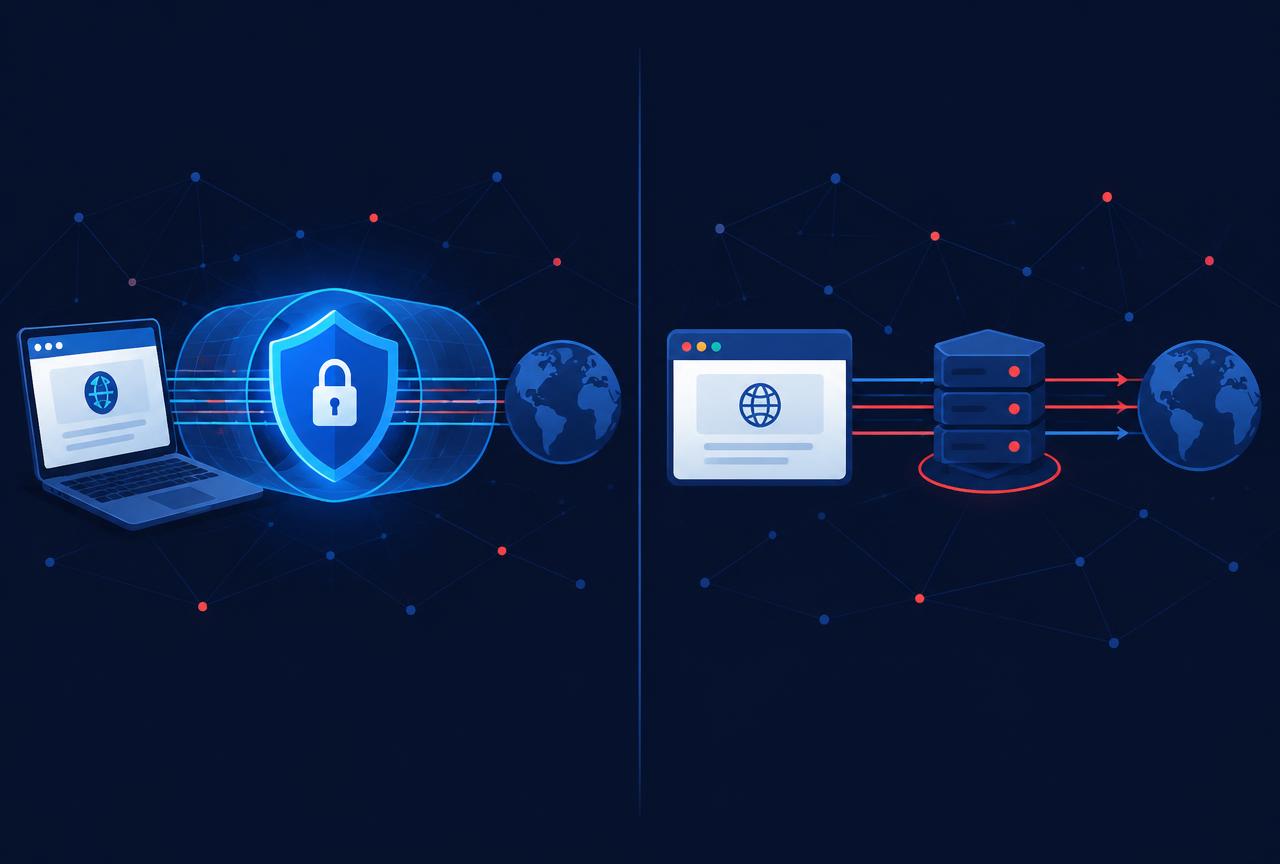
A VPN encrypts all traffic from your entire device and routes it through a secure server, hiding your activity from your ISP and local network. A proxy only relays traffic from one app or browser, usually without encryption. Choose a VPN for privacy, public Wi Fi, and streaming; choose a proxy for web scraping, ad verification, multi account management, and tasks where you need many rotating IP addresses.
Introduction
Both a VPN and a proxy change the IP address that websites see, which is why the two are constantly confused. The similarity ends there. Under the hood they solve different problems: a VPN is a security product that protects your whole connection, while a proxy is a routing tool that forwards specific requests through another address.
Picking the wrong one is expensive in both directions. Buyers who purchase a VPN to run a scraping pipeline find that one static exit IP gets blocked within hours. Buyers who use a free proxy for privacy discover that the proxy operator can see everything they do. This guide maps each tool to the jobs it actually performs well.
| Factor | VPN | Proxy |
|---|---|---|
| Traffic covered | Entire device, all apps | One app, browser, or script you configure |
| Encryption | Yes, full tunnel (AES 256 / ChaCha20) | Usually none; HTTPS still encrypts the page content itself |
| Speed overhead | Low on WireGuard class protocols | Minimal, since nothing is re encrypted |
| IP addresses | One or a few exit IPs at a time | Pools of thousands, rotating per request |
| ISP can see | That you use a VPN, not what you do | Everything, unless the app traffic is itself encrypted |
| Best for | Privacy, streaming, public Wi Fi, remote work | Scraping, SEO monitoring, ad verification, geo testing |
| Typical cost | Flat monthly subscription | Per GB of traffic or per IP |
How a VPN Works
A VPN client on your device creates an encrypted tunnel to a VPN server before any traffic leaves the machine. Every app browser, game client, email, system updates travels inside that tunnel. Your ISP and anyone on the same Wi Fi network see only encrypted packets going to one VPN server. The destination website sees the VPN server's IP address, not yours.
Modern protocols such as WireGuard (and vendor implementations like NordLynx) add only a few milliseconds of latency and sustain near line rate speeds on home broadband, so the performance argument against VPNs mostly disappeared years ago. For a deeper protocol breakdown, see our WireGuard vs OpenVPN vs IKEv2 guide.
How a Proxy Works
A proxy is a middleman for a single application. You point your browser, scraper, or automation tool at the proxy address, and it forwards your requests from its own IP. The rest of your device keeps using your normal connection. Nothing is re encrypted by the proxy itself if the site uses HTTPS, that encryption still applies, but the proxy operator can see which domains you contact.
The power of a commercial proxy network is scale and IP type. Residential proxies route through real household connections, datacenter proxies through server facilities, and mobile proxies through carrier networks. Rotating pools give you a fresh IP per request or per session, which is exactly what large scale data collection needs and exactly what a single VPN exit IP cannot provide.
| Proxy type | IP source | Typical use case |
|---|---|---|
| Residential | Real household connections | Scraping protected sites, sneaker/retail, ad verification |
| Datacenter | Cloud and hosting facilities | High volume, low cost scraping of less protected targets |
| ISP (static residential) | Residential IPs hosted in datacenters | Long sessions that need a stable, trusted IP |
| Mobile | 3G/4G/5G carrier networks | App testing, mobile ad verification, hardest to block targets |
Which One Do You Need?
The decision is simpler than the marketing makes it sound. If a human is using the internet and wants privacy, the answer is a VPN. If software is making requests at scale and needs many different IP addresses, the answer is a proxy. The list below covers the common scenarios.
- Choose a VPN for: everyday privacy on public Wi Fi, hiding activity from your ISP, streaming region locked content, safe torrenting with a kill switch, and remote access to work resources.
- Choose a proxy for: price monitoring, SEO rank tracking, ad verification, market research, social media account management, and any automation that needs hundreds of distinct IP addresses.
- Choose neither for: anonymity against a determined adversary or law enforcement both tools shift trust to the provider, they do not remove it.
- Do not combine a free proxy with sensitive logins: free proxy operators commonly monetize by inspecting or injecting traffic.
How to Set Up Each Option
For privacy, install a VPN app
Pick an audited provider, install the native app for your device, sign in, and connect. On Fire TV, consoles, and routers without native apps, configure the VPN at the router level instead.
Verify the tunnel is leak-free
Run a DNS leak test and a WebRTC leak test after connecting. If your real ISP resolvers appear, enable the VPN's own DNS servers or disable IPv6.
For automation, buy proxy access
Choose the IP type for the job (residential for protected targets, datacenter for volume). Providers issue an endpoint, port, and credentials or an API key.
Point your tool at the proxy
Enter the host, port, and credentials in your browser, scraper, or framework of choice. Most tools accept a standard http://user:pass@host:port string.
Set rotation and session rules
Configure per request rotation for crawling, or sticky sessions of 10 30 minutes when a site expects a stable identity, such as during checkout flows.
Common Mistakes to Avoid
- Using a free web proxy for banking or email the operator can see unencrypted metadata and sometimes inject content.
- Buying a VPN to run a scraper one exit IP gets rate limited or banned quickly; rotation is the whole point of a proxy pool.
- Assuming a proxy encrypts traffic it does not; it only changes the visible IP for the app you configured.
- Ignoring DNS leaks after connecting a VPN the tunnel can be up while DNS queries still go to your ISP.
- Using datacenter proxies against heavily protected retail or social sites residential or mobile IPs have far higher success rates there.
- Paying for both when one does the job a household user streaming and browsing needs only a VPN.
| Your situation | Recommendation |
|---|---|
| Daily browsing, streaming, gaming | Reputable VPN with WireGuard support and an audited no logs policy |
| Streaming on devices without VPN apps | VPN on the router, or Smart DNS for pure geo unblocking |
| Web scraping and data pipelines | Rotating residential or datacenter proxies billed per GB |
| Ad verification and localized SEO checks | Residential proxies in the target cities |
| One off IP change in a single browser | Browser proxy extension or a VPN's browser extension |
| Maximum account security on the go | VPN with a kill switch and multi hop if the threat model justifies it |
Conclusion
A VPN and a proxy both change your visible IP address, but they are built for different jobs. A VPN is the right default for people: it encrypts the whole device and protects every app at once. A proxy network is the right tool for machines: it supplies the IP diversity that automation, scraping, and verification workloads depend on.
If your goal is privacy and streaming, compare our tested VPN picks on the comparison hub. If your goal is data collection or multi IP automation, a proxy provider such as IPRoyal is the correct product category.
Is a proxy as safe as a VPN?
No. A proxy changes your IP address for one app but does not encrypt your connection. Your ISP and local network can still observe your traffic. A VPN encrypts everything leaving the device, which is the meaningful privacy difference.
Can I use a VPN and a proxy at the same time?
Yes, and some automation setups do: the VPN protects the host machine while the scraper routes through a rotating proxy pool. For ordinary browsing the combination only adds latency, so there is little reason to stack them.
Are free proxies safe to use?
Generally no. Free proxy operators can see your unencrypted traffic and frequently monetize through injection or logging. Free VPNs have similar problems. For anything involving accounts or personal data, use a paid, audited service.
Which is faster, a VPN or a proxy?
A proxy is marginally faster because it adds no encryption step, but the difference is small. A modern WireGuard based VPN loses only a few percent of line speed on typical broadband, so speed alone is not a reason to choose a proxy.
Do I need a proxy or a VPN for web scraping?
A proxy, specifically a rotating residential or datacenter pool. Scraping needs many distinct IP addresses to avoid rate limits and bans, and a VPN provides only one exit IP at a time.
Will a VPN or proxy hide me from Netflix detection?
Streaming services actively block known VPN and datacenter IP ranges. Premium VPNs rotate streaming optimized servers to stay ahead, which is why a VPN remains the practical choice for viewers; proxies are not designed for streaming access.