
Obfuscated VPN Servers in 2026: What to Check Before You Buy
Compare NordVPN’s NordWhisper upgrade, Surfshark NoBorders and OpenVPN obfuscation, plus IPVanish Scramble limitations before buying for a restricted network.

Networking Editorial
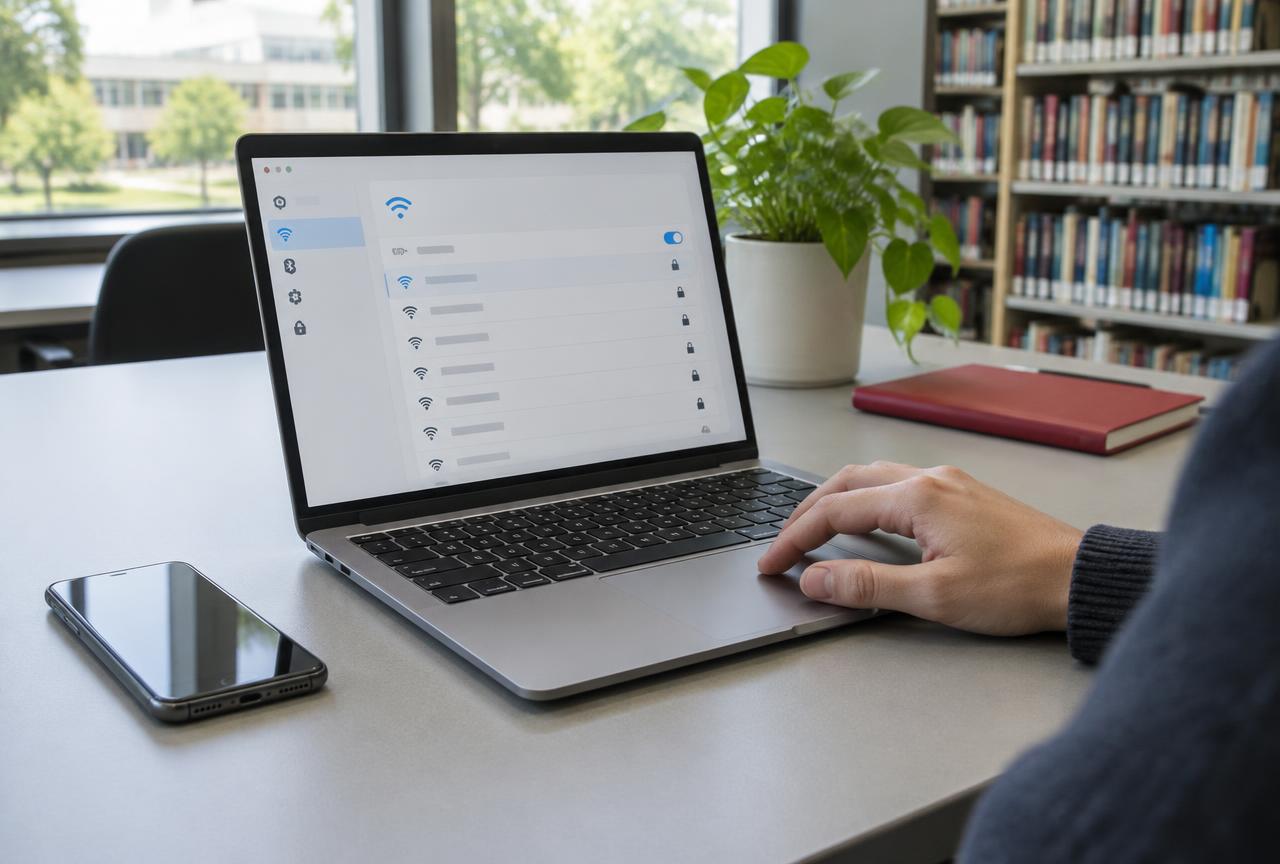
Quick answer: Obfuscated VPN servers attempt to make VPN traffic harder for network filters to identify. Start by comparing NordVPN if you need a clearly documented restricted network connection mode: its current support describes an upgrade of the Obfuscated Servers category from OpenVPN to NordWhisper. Surfshark is an alternative, but distinguish its NoBorders server selection mode from its OpenVPN obfuscation. Check the exact app, operating system and protocol before paying. Obfuscation does not guarantee access, hide everything you do online or make prohibited use lawful.
This is a feature compatibility buying guide, not a country by country connection test. We checked official partner documentation on 6 November 2026 and inspected competing guides. We have not measured bypass success, speed loss or detection resistance. The purchase recommendation is based on documented controls and setup clarity, not an invented performance leaderboard. We may earn a commission when you buy through our affiliate links.
What Obfuscation Changes and What It Does Not
Encryption protects the contents of traffic inside the tunnel. Obfuscation addresses a different issue: a network may recognize a VPN’s traffic pattern and restrict it even though it cannot read the contents. A traffic hiding mode changes how that connection is presented. It is not an extra promise of anonymity. The network may still see that your device communicates with a remote address, and services you sign into still know your account.
| Feature | Main job | Not a substitute for |
|---|---|---|
| Obfuscation / traffic hiding mode | Reduce recognizable VPN traffic characteristics | Permission to use a network or guaranteed access |
| Protocol fallback, such as OpenVPN TCP | Try a different transport or connection method | Proof that traffic is disguised |
| Kill switch | Restrict traffic during certain tunnel failures, depending on platform | Preventing a firewall from blocking the connection |
| Multi hop / Double VPN | Route through more than one VPN server | A documented obfuscation mode |
| Dedicated IP | Provide a fixed outbound address under the product’s rules | A captive portal login or universal firewall bypass |
Do You Actually Need Obfuscated Servers?
Consider the feature when ordinary internet works but a standard VPN mode repeatedly fails on a network where VPN use is permitted. First test another server and supported protocol, then compare the same app on a different network. A connection that works on cellular but fails on guest Wi Fi points toward that network path; it does not prove deliberate filtering. Expired guest authorization, routing faults and unreachable endpoints can look similar.
If websites do not load even with the VPN disconnected, investigate the underlying connection first. Obfuscation cannot complete a hotel room code login, restore cellular coverage or add bandwidth to crowded Wi Fi. Use our hotel Wi Fi VPN checklist for the portal sequence. On an ordinary home connection that already works, leave the standard mode as your baseline rather than enabling a special mode because it sounds more secure.
The Buying Comparison: Exact Modes, Not Marketing Labels
| Partner | Documentation checked | Before paying |
|---|---|---|
| NordVPN | Obfuscated Servers category upgraded to NordWhisper; older OpenVPN guidance still exists | Confirm the mode available in your current app and version |
| Surfshark | NoBorders provides a selected server list; OpenVPN connections use obfuscation | Confirm both the NoBorders control and supported protocol on your device |
| IPVanish | Scramble support article explicitly covers legacy v3 and OpenVPN | Ask support whether your current app/platform has the required option |
NordVPN: The OpenVPN Only Advice Has Changed
Older tutorials tell you to select OpenVPN before the Obfuscated Servers category appears. NordVPN’s current upgrade notice says that category now uses NordWhisper instead. Its connection guide shows Specialty Servers → Obfuscated on mobile and the equivalent category on desktop. Linux guidance describes choosing NordWhisper. A separate OpenVPN page still mentions some obfuscated servers, so do not treat one older menu sequence as universal across versions.
Before choosing NordVPN’s current plans, update the app and check the guide for your exact operating system. If the category is missing, ask support which connection method applies to that build; do not pay for a dedicated IP or switch randomly between protocols expecting to reveal it. Our starting recommendation reflects a clearly documented restricted network workflow, not independent proof that NordWhisper is faster or works everywhere.
Surfshark: NoBorders and Camouflage Are Not the Same Setting
Surfshark describes NoBorders as a mode that can activate when the app detects network restrictions and presents a selected server list. Separately, its protocol documentation says its OpenVPN connections use obfuscated servers the behavior commonly described as Camouflage. One concerns the restricted network workflow and server selection; the other concerns traffic handling with a particular protocol. Do not assume selecting WireGuard automatically enables OpenVPN based obfuscation.
Compare Surfshark’s plans if those controls fit your actual devices and budget. Ask whether the required protocol and NoBorders option exist in the app you will use, especially if a desktop screenshot is your only evidence. A compatible laptop does not establish feature parity on every phone, TV or router. Trial the permitted configuration on the intended network rather than buying solely because another traveler reported success.
IPVanish: Verify Scramble in the Current App First
The IPVanish Scramble article we checked explicitly identifies the legacy v3 app and OpenVPN. It lists Windows, Android, Fire TV/Stick and macOS. That establishes a documented older implementation, not a promise that the same option exists on all current versions or on iPhone. We therefore do not present IPVanish as a confirmed universal obfuscation alternative.
Before purchasing IPVanish for this specific requirement, send support your operating system and current app version and request the matching setup instructions. If support cannot establish that the feature exists in your intended configuration, choose a documented alternative rather than assuming an old Fire Stick tutorial proves current phone support. The general Fire Stick buying guide covers device compatibility separately.
A Six Step Test Before Keeping a Subscription
Confirm lawful, permitted use
Check local rules and device policy. Obtain administrator guidance for a managed network; keep a permitted alternative connection.
Make ordinary internet work
Finish any legitimate guest network authorization and confirm normal browsing. Do not use sensitive accounts while protection is temporarily paused.
Record a standard-mode baseline
Update the app, select a nearby permitted location and note the protocol. Test a simple page load and the task you actually need.
Select the documented special mode
Use the instructions for your app version. Check NordVPN’s Obfuscated/NordWhisper route or Surfshark’s appropriate controls, rather than copying an outdated screenshot.
Compare one change at a time
Keep the device and task consistent. Try an alternate server, then a different network where permitted. Record failures and send useful diagnostic information to official support.
Decide within the eligible purchase window
Confirm the seller’s refund conditions and deadline. Keep the plan only if it meets your actual needs; canceling renewal is not automatically a refund request.
Read the Bill and Refund Terms Before Testing
A low monthly equivalent may require a multi year upfront payment. Compare the charge now, renewal amount, taxes, supported devices and refund exclusions for your seller and term. App store purchases may follow different processes from website purchases. For a short trip or uncertain network requirement, use our monthly VPN comparison and free trial guide to distinguish a genuine trial from a paid purchase with a conditional refund.
Will Obfuscation Slow Your Connection?
It can change performance, but there is no defensible single percentage for every implementation or network. The special mode may use a different transport, server selection or traffic handling. If the normal protocol cannot connect, a slower usable connection can still be the better outcome. If both work, compare the same task and keep the mode that meets your requirements. We have not benchmarked these modes; our WireGuard versus OpenVPN guide provides a repeatable general comparison method, not a NordWhisper test.
Mistakes That Lead to the Wrong Purchase
- Buying another VPN before completing a captive portal or fixing ordinary internet access.
- Treating older OpenVPN only NordVPN instructions as the current universal setup.
- Using NoBorders, Camouflage and every protocol name as interchangeable terms.
- Assuming a legacy Scramble article verifies every current IPVanish platform.
- Buying multi hop or a dedicated IP instead of verifying traffic hiding support.
- Believing an anonymous travel anecdote establishes guaranteed access or legal permission.
- Keeping a long subscription without testing the exact app and permitted network during the eligible window.
Which Option Should You Buy?
Start with NordVPN when your priority is a documented Obfuscated/NordWhisper workflow in the current app. Compare Surfshark when its NoBorders and protocol specific controls match your device. Treat IPVanish Scramble as a support confirmed purchase only, because the source we found is explicitly legacy documentation. If your existing VPN already works after a server or protocol change, keep it. Buy the missing capability, not a guarantee no provider can deliver.
Preparing for a trip? Read our travel VPN checklist for installation, account recovery and a cellular fallback before departure. A VPN subscription supplies a tunnel over existing internet access; it does not supply reception, hotel authorization or access to your employer’s private systems.
Frequently Asked Questions
What are obfuscated VPN servers?
They use traffic hiding methods intended to make a VPN connection harder for network filters to recognize. They do not make a user invisible, guarantee connectivity or remove the need to follow local and network rules.
Do NordVPN obfuscated servers still require OpenVPN?
Not universally. Current NordVPN support describes upgrading the Obfuscated category to NordWhisper. Some separate OpenVPN guidance still mentions obfuscated servers. Follow the current instructions for your app version rather than assuming older OpenVPN only advice applies.
Is Surfshark NoBorders the same as Camouflage?
No. NoBorders is the restricted network mode with a selected server list. Surfshark separately documents obfuscation for OpenVPN connections, commonly described as Camouflage. Verify the actual controls and protocol in your app.
Does IPVanish Scramble work on every device?
The official article checked here covers legacy v3, OpenVPN and specified platforms. It does not establish every current app or iPhone support. Ask support for instructions matching your exact version before buying for Scramble.
Will obfuscated servers always work in restricted countries?
No. Network filtering and availability change, and endpoint blocking can still prevent a connection. Check current local rules and keep a permitted fallback; successful connection is not evidence of legal permission.
Should I leave obfuscation on all the time?
Not automatically. Start with the ordinary supported mode on unrestricted networks. Use the special mode when a permitted connection needs it and compare performance for your actual tasks. More specialized settings do not automatically mean better protection.
Official Documentation Checked on 6 November 2026
- NordVPN Support: Obfuscated Servers are getting an upgrade what changed; How to connect and disconnect from NordVPN’s obfuscated servers; Switching protocol to OpenVPN UDP or TCP. These pages describe the NordWhisper change and remaining OpenVPN guidance.
- Surfshark Support: How to use Surfshark NoBorders; What protocols can I use with Surfshark. These distinguish restricted network server selection from OpenVPN obfuscation.
- IPVanish Support: What is the Scramble option (Legacy v3 IPVanish app). The legacy label limits what can be inferred about current apps.
- Sources are named without provider support links to respect this site’s affiliate only provider link policy. No provider speed, bypass success or device parity claim was inferred from a competing buying guide.